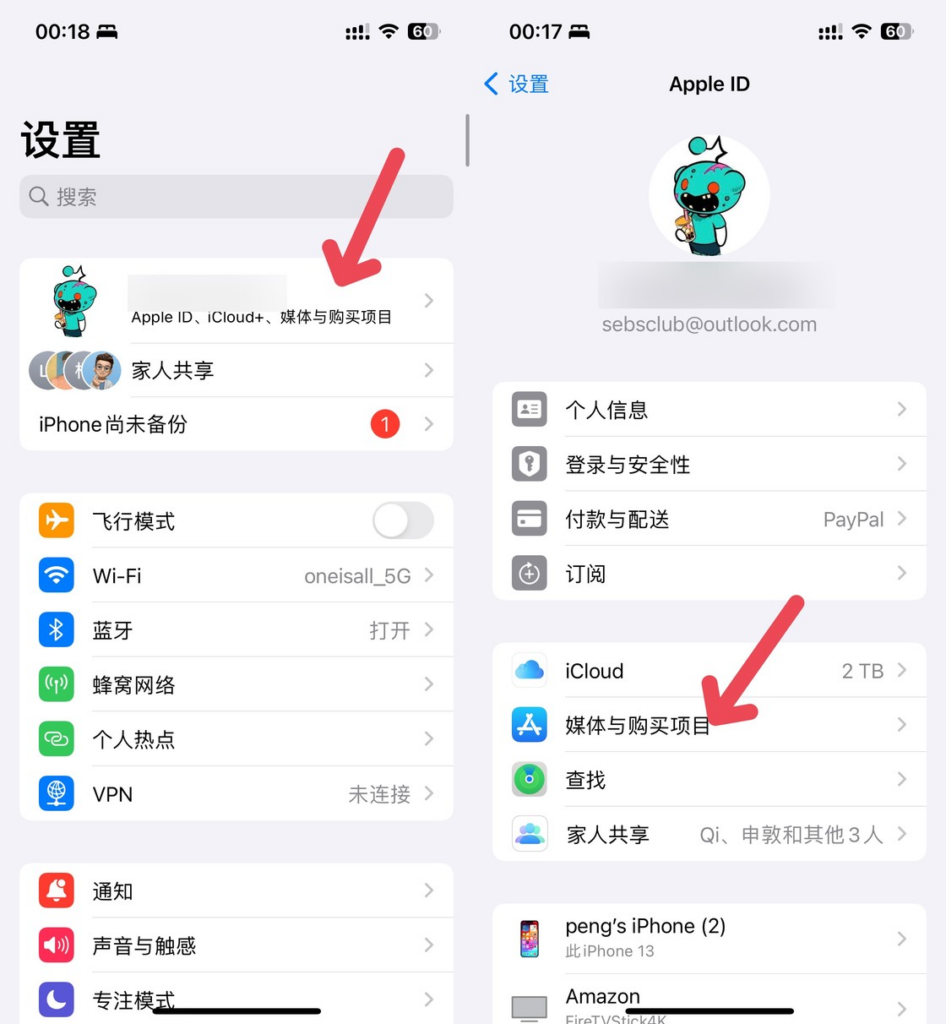
The newly registered Apple ID cannot be used directly to download the app, and you need to activate it to set the billing address. Open your iPhone’s settings, click on your account, select “Media & Purchases”, log out of the previous one, and log in to the one you just registered. (Select not iCloud XX user when logging in to the pop-up box)
Apple IDs on Apple devices are generally divided into two types: iCloud accounts are bound to mobile phones, computers, and iCloud and other functional services; In addition, there is the App Store media account, which is the “Media and Purchase Items” here, which is tied to the store App Store, subscribed Music, TV+ and other services. Download different apps every day, just switch media accounts here.
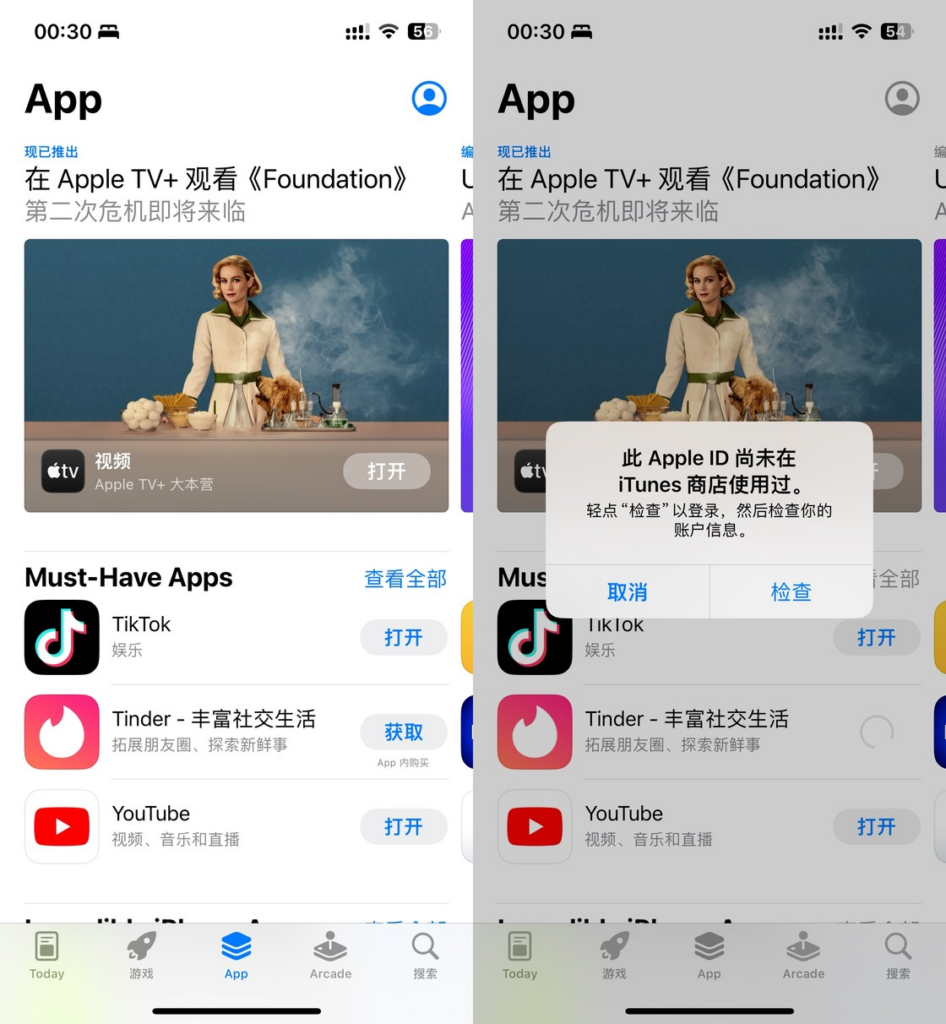
Then open the App Store and choose an app to download at will, which will let you “check” your account information.
Then select Agree and tap Next. Then fill in the billing address directly, and you don’t need to click on the payment method above. It is recommended to fill in the address of the tax-free state, which you can generate yourself online.
Click on the next page and you’re done, you can download the app and use it.