How to create?
1. Create a new Apple ID using a web browser
Click on the Apple ID creation link https://appleid.apple.com/account#!&page=create (be careful not to use a proxy like a VPN, otherwise it won’t open), and then tap “Create your Apple ID”. (The page language is Chinese and English)
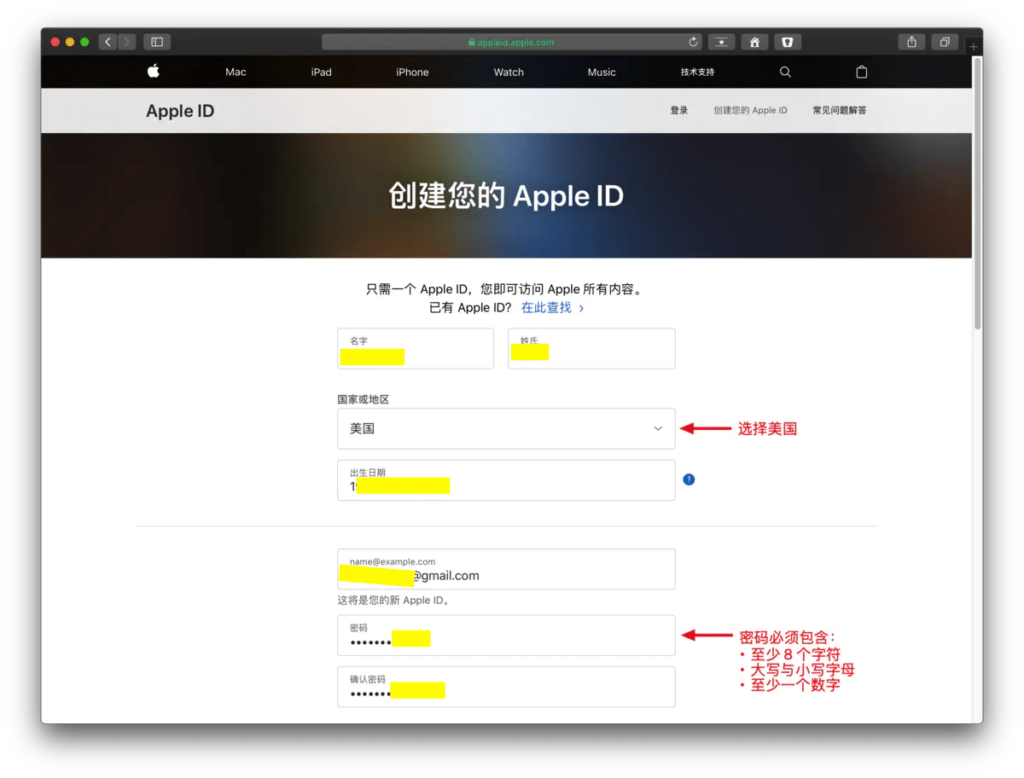
2. Enter your name, birthday, email address, password, and country to select the United States
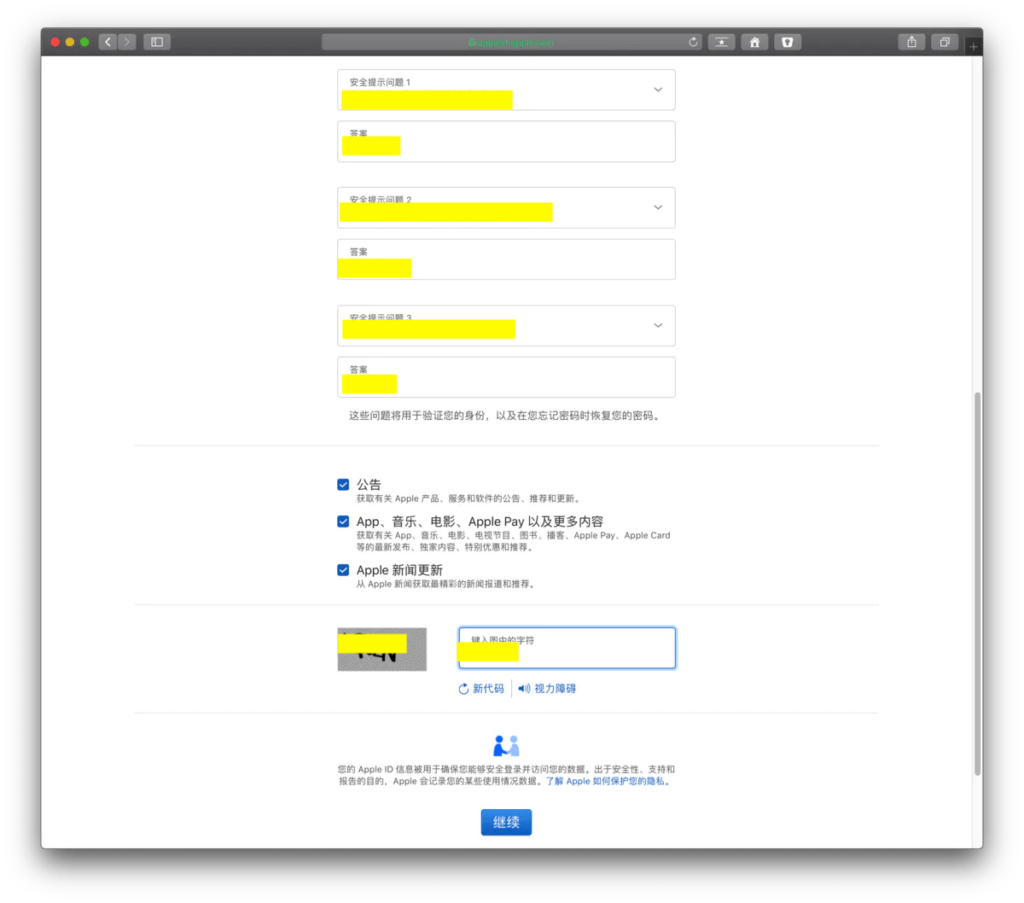
3. Select the safety prompt question and click “Continue”.

4. The web version registration is complete.
Mobile phone login New Creation and other Apple IDs
1. Open your Apple device, go to the App Store -> and tap your Apple ID avatar in the upper right corner to sign out of your original account.
2. Fill in the newly created Apple ID -> Click “Sign in” to sign in.
3. At this time, the verification information will pop up, click “Review”.
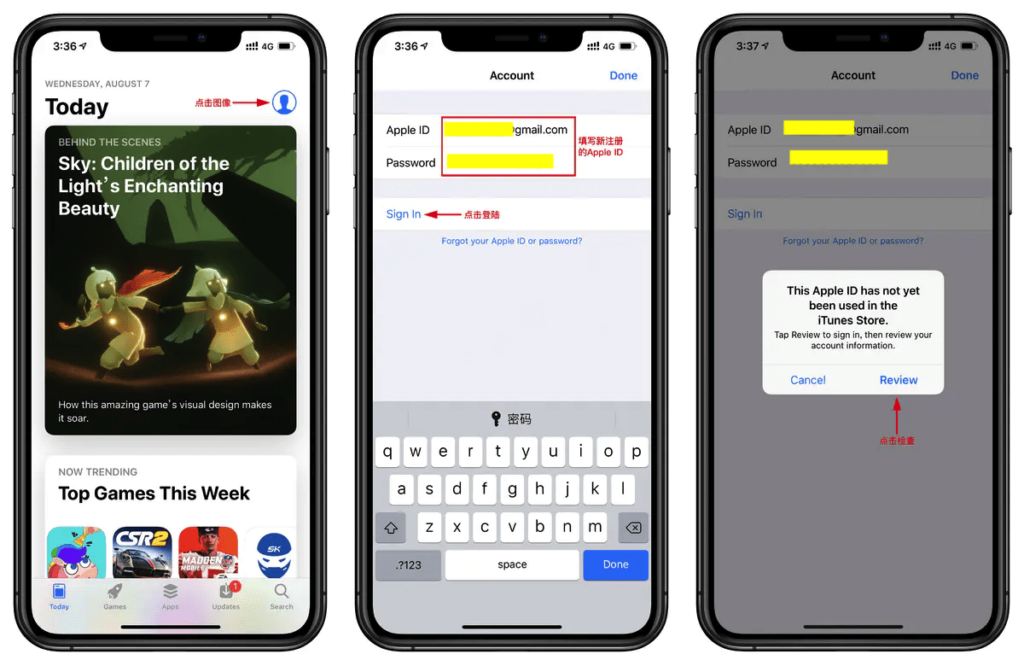
4. Confirm that the country is “United States” -> Open “Agree to Terms and Conditions” -> Click “Next” to continue.
5. Select “None” as the payment method and click “Next” to continue.
6. Fill in your name, US address, if you do not have an address, it is recommended to search for US personal information generation online, and click “Next” to continue.
7. Click “Continue” to proceed and complete the final registration.