For example, the US version of the iPhone has long had no physical SIM card slot, while the iPhone in Chinese mainland has never supported eSIM. Of course, the Redmi K40 phone I am using now does not support it, and Xiaomi also has many overseas models that already support eSIM.
5ber eSIM is a special physical phone card, and its main function is to allow smartphones that do not support eSIM to use eSIM, which is almost equivalent to an affordable alternative to eSIM.me. Unlike eSIM.me, which can only be purchased on the official website and then received by international direct mail or express delivery, 5ber eSIM has stores such as Xiaohongshu in China, which is much more convenient to purchase in China.
It should be noted that the 5ber eSIM mobile phone card itself does not include any plans, and there is no signal or number directly plugged into the mobile phone, users need to purchase an eSIM number or plan from the operator, and then activate the corresponding eSIM profile in the 5ber.eSIM mobile app.
The Order page on the 5ber eSIM website currently includes two packages:
- Standard: Price $12, support for two free eSIM profiles, more than two require a fee;
- Premium: $25 with an unlimited number of eSIM profiles (but the card itself only supports up to 15 eSIM profiles).
I bought a mobile phone card before there was no split plan, which is actually the current Premium plan. If you also want to try 5ber eSIM, be sure to install the 5ber.eSIM app before placing an order to check that your Android phone (yes, 5ber eSIM only supports Android phones) is managed by 5ber eSIM.
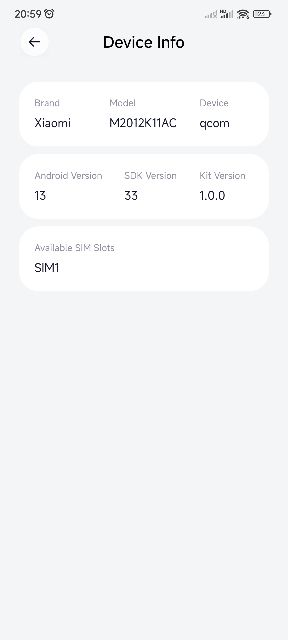
For example, although my Redmi K40 phone supports dual SIM, the 5ber.eSIM App shows that only SIM 1 supports eSIM management, so the purchased 5ber eSIM phone card must also be installed in the SIM 1 card slot to use:
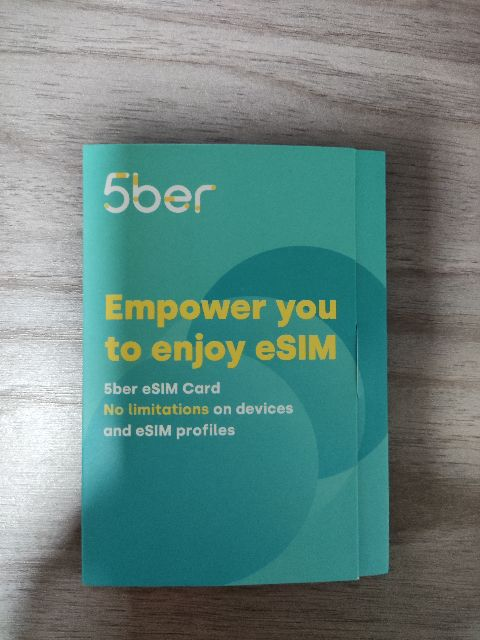
This is the early 5ber eSIM package I bought:
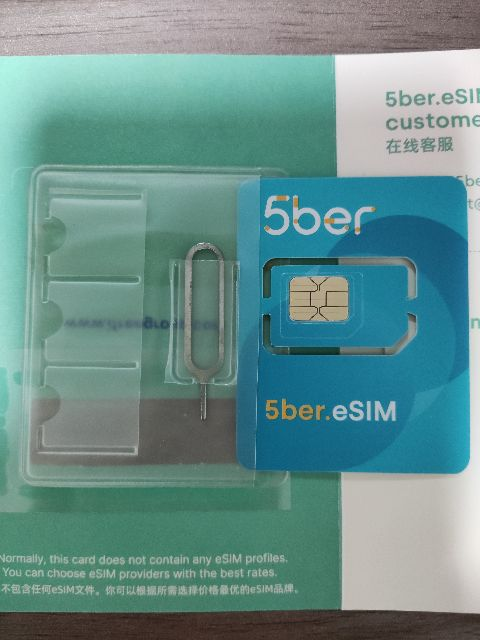
The interior is also very simple, that is, the mobile phone card and the card pin, and comes with 3 SIM card bags, which have been proven to be very useful when using the original SIM card when going abroad:
After plugging in the 5ber eSIM mobile phone card, the eSIM management interface will be displayed by default when you open the app:
By default, there is no eSIM profile, you can click the button in the lower right corner to add an eSIM profile, and it supports calling the camera to scan the eSIM activation QR code. You can also choose to add QR code photos from the album, which is actually more convenient, because sometimes the eSIM QR code may have been saved to the mobile phone album.
eSIM test
Switch directly to a 5ber eSIM phone card locally and use a local eSIM-supported carrier in Georgia so you don’t have to buy a temporary physical SIM card.
We only need to briefly explain the situation in English: it is probably that our mobile phone does not support eSIM, but it is equipped with a 5ber eSIM mobile phone card that supports eSIM function; Generally, the customer service will ask you to send him a screenshot of the device information of the 5ber eSIM soon.
After sending a screenshot of the information in the 5ber.eSIM App to the online customer service as requested, you should receive an eSIM QR Code email from eskimo.
Then we open the 5ber.eSIM app and activate the eskimo eSIM by scanning the QR code in the email.
After successful activation, you can see the new eSIM profile in the 5ber.eSIM app, and we can also name and label the new eSIM: