Once installed, eSIM cannot be removed or directly transferred to another mobile device, otherwise the eSIM will become invalid.
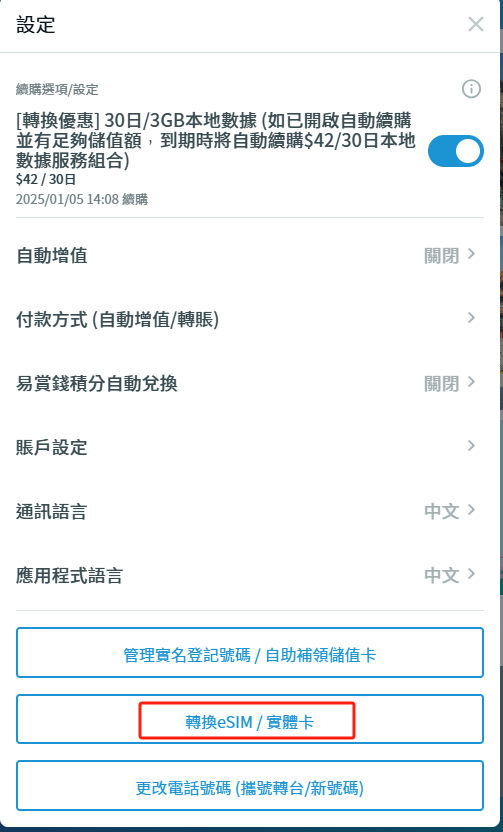
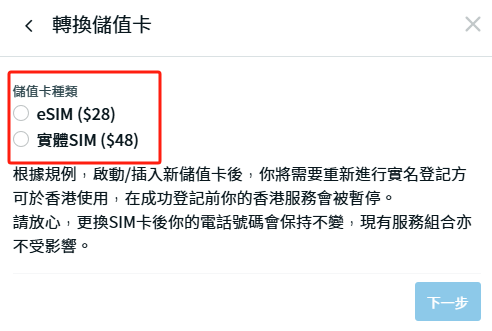
If you want to switch to another mobile device, you need to log in to the SoSIM App /Website Account Management page and click “Convert eSIM /Physical Card” to obtain a new eSIM QR code. The handling fee is $28.
When purchasing, you must enter an email to obtain a one-time Captcha, and the replacement QR code will be sent to this email. Customers must scan the QR code to install and activate the new eSIM, and then complete real-name registration again.
After the new card is activated, the eSIM in the original device will expire, and the account data will remain unchanged (including account balance, purchased service packages and rewards).