Canva has acquired Australia AI startup Leonardo.ai and gained access to its text-to-image and text-to-video generators. The move strengthens Canva’s position in the generative AI market and has the potential to challenge Adobe’s dominance.
Leonardo.ai ‘s technology will be integrated into Canva’s Magic Studio products, while its platform will remain independent. The acquisition comes as Canva seeks to expand its creative suite and compete with Adobe’s Firefly model. However, Canva faces review of its data training practices and needs to address ethical issues surrounding generative AI.
Leonardo ai is an AI drawing tool that allows you to easily create various styles of images. Based on open source StableDiffusion technology, the most distinctive feature is that it has a variety of trained drawing models built in to generate various styles of works, such as business cards, posters, cards, leaflets. It is rich in functions and regularly updated, and the generated images can be used for commercial purposes. Leonardo ai also provides mobile applications that are convenient for users to use at any time.
Leonardo.Ai also provides API concatenation services for programming languages, allowing users to apply it to their own services, further expanding the application scope of AI graphics generation.
Differences between Midjourney and Leonardo Ai?
Midjourney and Leonardo Ai are both very popular AI drawing tools on the market. Midjourney needs to be bound to Discord(chat forum), while Leonardo Ai does not require additional installation. It can be operated by opening a browser. However, if there is a translation, it will affect the generation or report errors. Free tokens are provided every day, but Midjourney is not free now.
Midjourney generates images that are very detailed and accurate, so they win in terms of refinement, while Leonardo Ai provides more features, such as AI sketchpad functions, advanced features such as back material removal, and the ability to train their own models, making the work more flexible. So Leonardo Ai is more comprehensive in function.
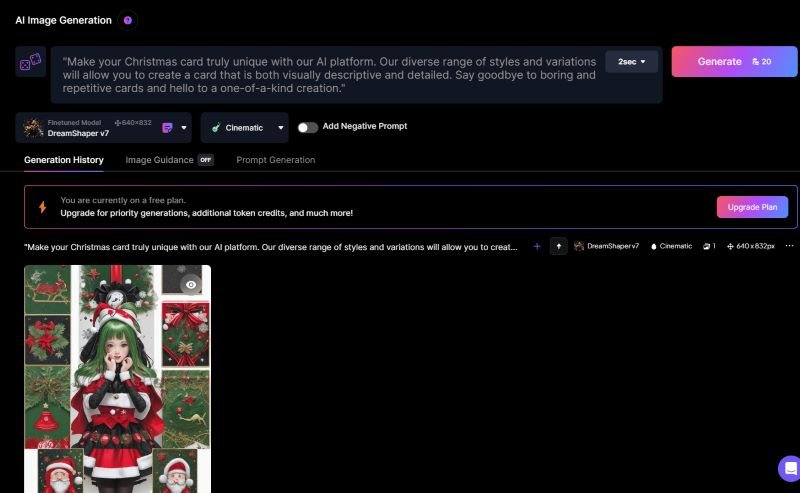
AI Image Generation
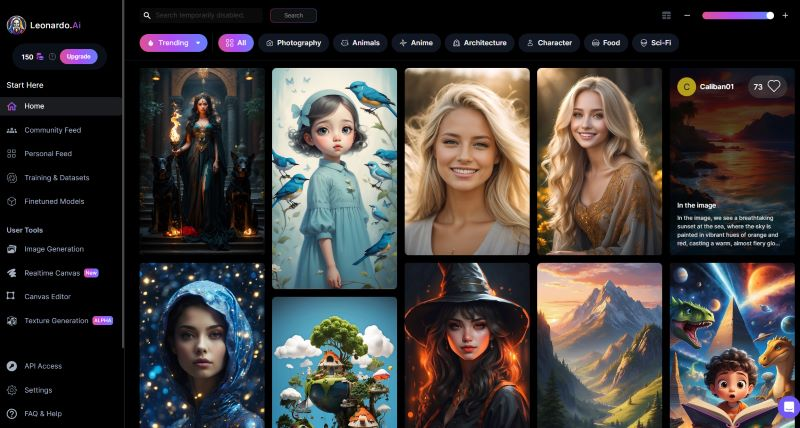
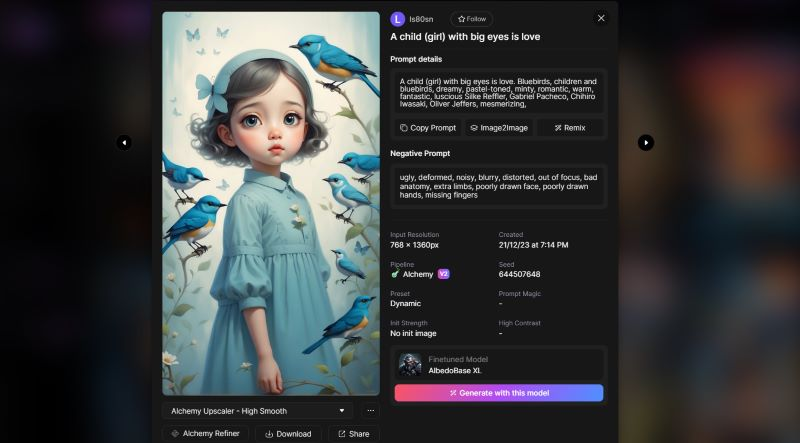
Leonardo Ai will see many other people generating pictures as soon as he enters. Just click on the image style you like, and a brief introduction of the module will appear. Below will be images of other people using the module. Click on it and you will enter Leonardo AI commands. You can also directly press the generate button to use the module, or you can go directly to AI Image Generation to generate pictures.
On the left-hand side of the generation page, you can choose whether the number of images to be generated, the generation of “extremely realistic” images, Alchemy, magic reminders, public videos, and image size. If the greater the reminder level of the image, the stronger the effect will be, and the cost will be higher.
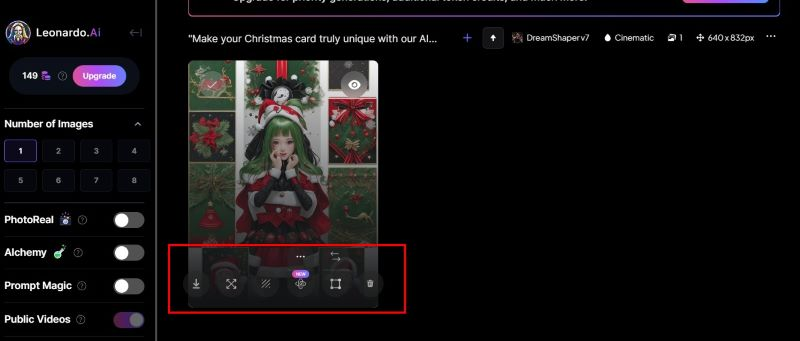
The generated image can also be targeted for subsequent processing. The one on the far left is the download function. The next one is the ability to enlarge the image to make the picture quality better, but the details of the image may be lost. Next, the background is deleted or replaced. Alchemy Upscaler can modify your influence in detail, especially your hands and face, and then there will be a recycling bucket.
If you want to edit an image, you can also click on the image, and more editing AI tools will appear, such as smoothness, balance tone and other tools, and you can also view the image more clearly:
If you want to learn more, you can click on the link below the video.
Thank you for watching this video. If you like it, please subscribe and like it. thank
Original text:https://www.theverge.com/2024/7/30/24209421/canva-leonardo-generative-ai-platform-acquisition-design-software
Official website:https://leonardo.ai/
Oil tubing: