It is the first virtual bank in Hong Kong that allows you to open an account directly online.
There is no need to go to the branch for authentication, but you must be in Hong Kong when applying for an account, and your mobile phone must be connected to Hong Kong WiFi.
Account opening can be completed in as little as 2 minutes, without any account management fees.
▲Account opening threshold
0 threshold, 0 management fee, no account opening reason, no queue.
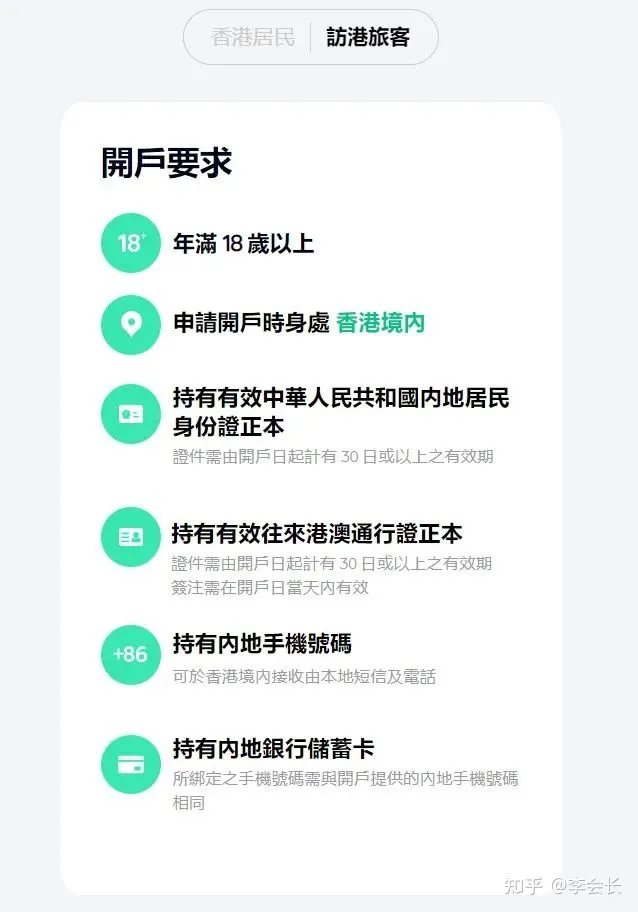
As long as you are over 18 years old and have the following materials, you can open an account.
▲Account opening information
- Valid ID
- Hong Kong and Macau Pass
- Mainland bank savings card
- Mainland mobile phone number
▲Account opening process
Step 1: Download the ZA Bank APP
You can download it on the official website, Apple store and Google play, or you can directly scan the following QR code to enter the download page.

Note: You need to connect to Hong Kong’s local WiFi in advance.
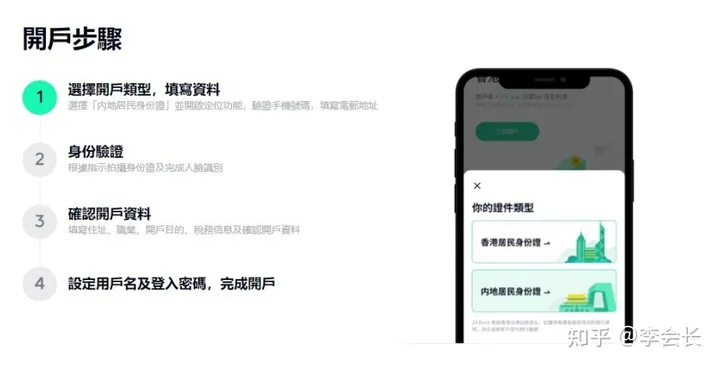
Step 2: Select the account type to register and log in
Non-Hong Kong household registration can choose “Visiting Tourists” – “Mainland Resident Identity Card” for registration and login.
Then turn on the positioning function and fill in the mobile phone verification code, contact information, email address and other relevant information according to the prompts on the page.
Step 3: Perform identity verification
Follow the instructions on the page to upload photos of the front and back of the resident identity document and the Hong Kong and Macao Travel Permit.
Step 4: Set a login username and password
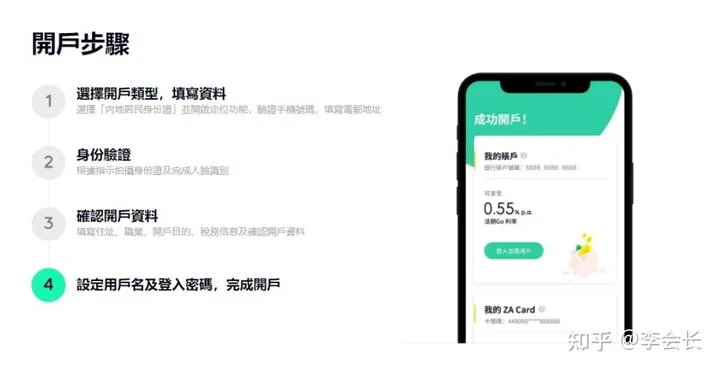
Then wait patiently for the review by ZA Bank, which will generally complete the review and give the review results within 7 working days, and you can check the latest application status through the ZA Bank APP.
After successfully opening an account, you can apply for a physical card, and ZA Bank will mail the physical card through EMS, which will be sent in about 3 days.